

Being able to customize your Cargo profile is super easy!
It’s the perfect opportunity to elevate that initial wow factor when customers discover your brand on the app.

Navigating Your Profile Page
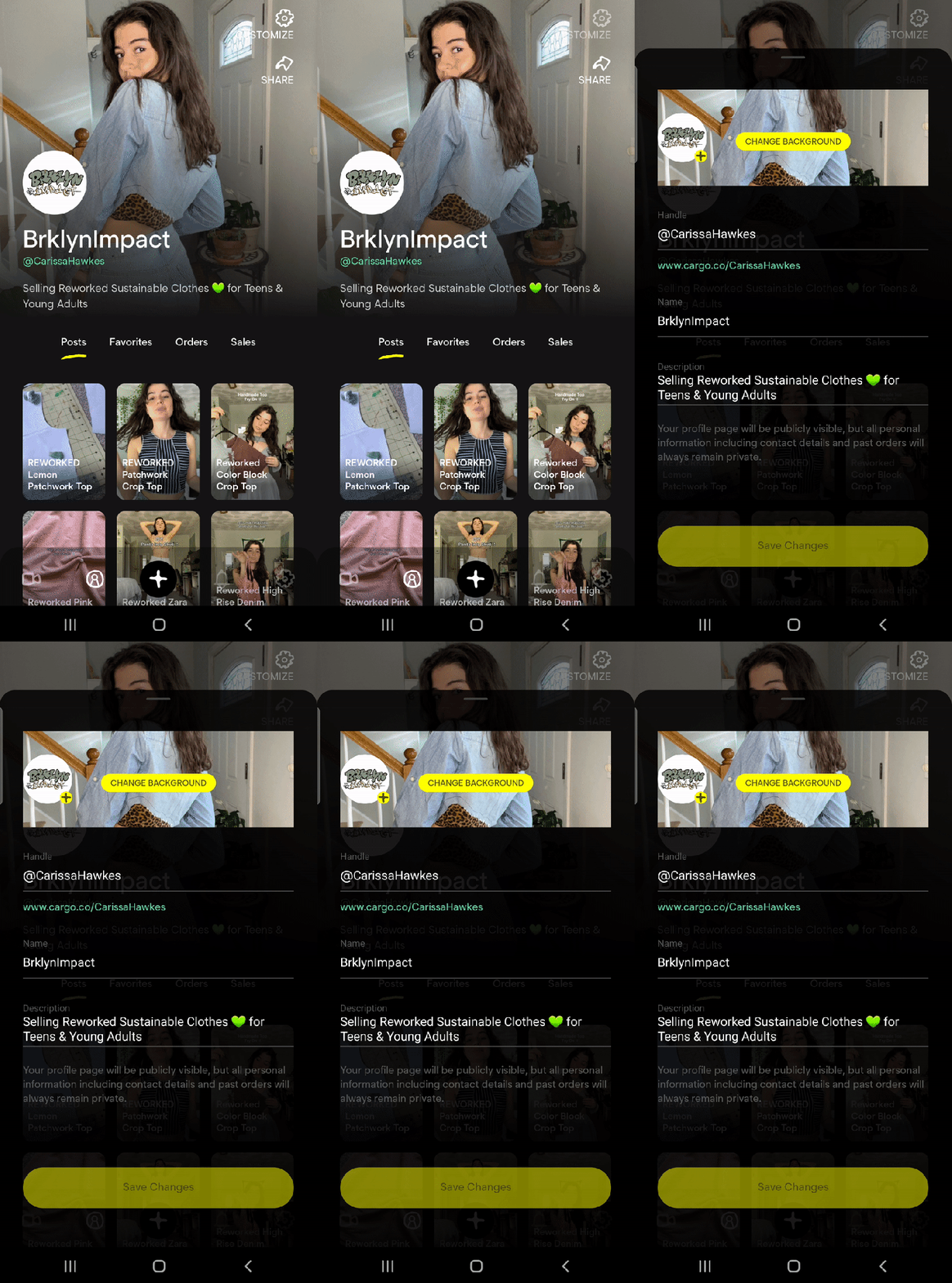
When you land on your profile page, you will notice different page sections.
Posts: This is your shop feed featuring all of your listings.
Favorites: Any videos that you 💛 will save here. This is great for customers who want to save products and make a purchase later.
Orders: For buyers, this is your purchase order history with tracking information and status updates.
Sales: For sellers, this is your list of purchases made from your shop and for completing pending sales.
Customize Your Profile Page
To get started on creating your Cargo Profile, click on your profile 👤 button at the bottom (the second icon). Tap ‘CUSTOMIZE ⚙️’ at the top right.
- Background Image
- Profile Image
- Username Handle (this will appear on your Cargo URL)
- Name
- Description (tell us about your brand)
Ready To Start Selling?
All Cargo users must be approved before selling on Cargo. Simply enter your contact email address and provide us with some information – the more, the better! 🙂
A member of our team will review your application and you will receive an SMS and email to confirm your approval ✨

Share Your Profile 🔗
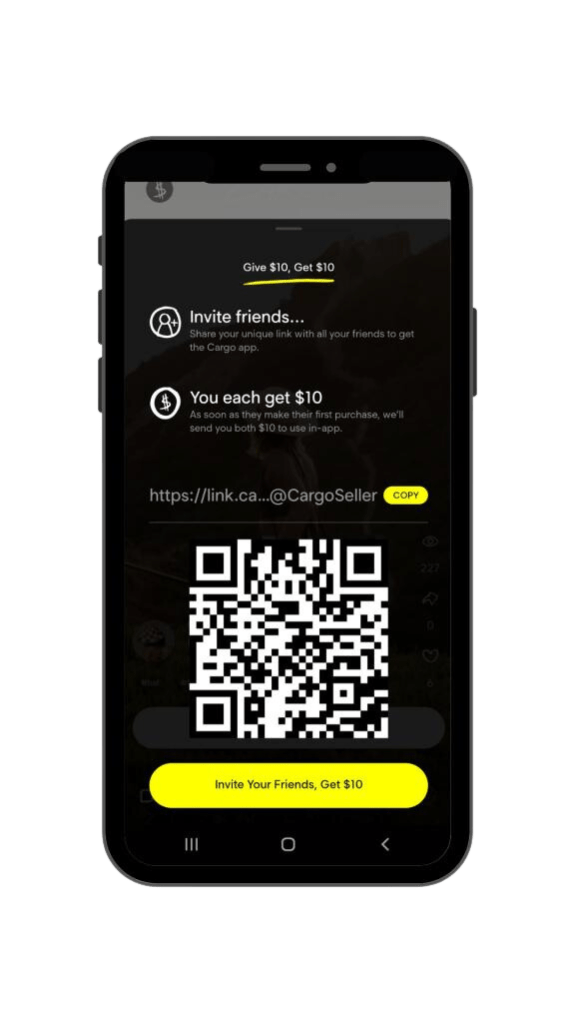
Once your profile is set up and you’ve posted products to sell, share your profile to earn 0% commission on sales!
Give $10, Get $10
Share your unique Cargo link with all of your friends to get the app.
As soon as they make a purchase, we’ll send you both $10 to use in-app!
#linkinbio
 Cargo
Cargo 